
Whalestag Weave
A downloadable tool for Windows
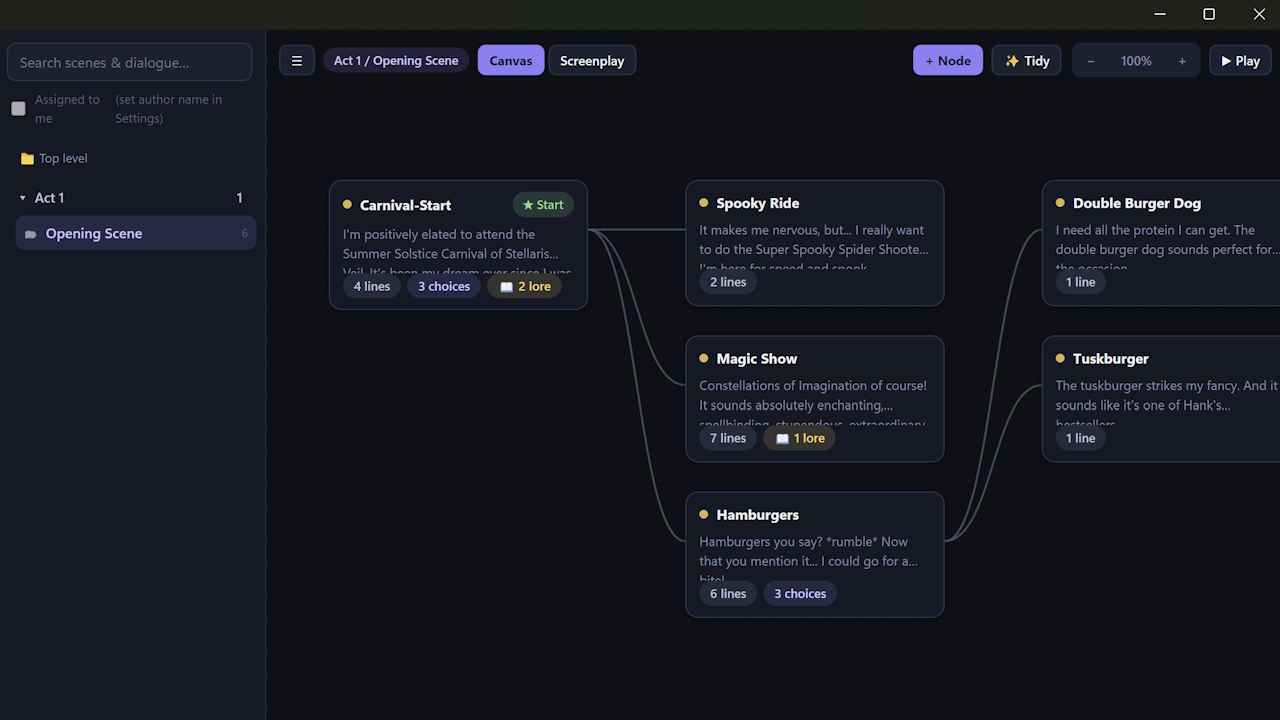
Whalestag Weave is a complete dialogue system for your GameMaker game: a visual, node-based dialogue editor that works with Chatterbox and Scribble and a Weave asset package to process everything in GameMaker. This is truly an out-of-the-box dialogue system that meets all of you and/or your team's needs.
Your writers shouldn't need to learn code to write your game.
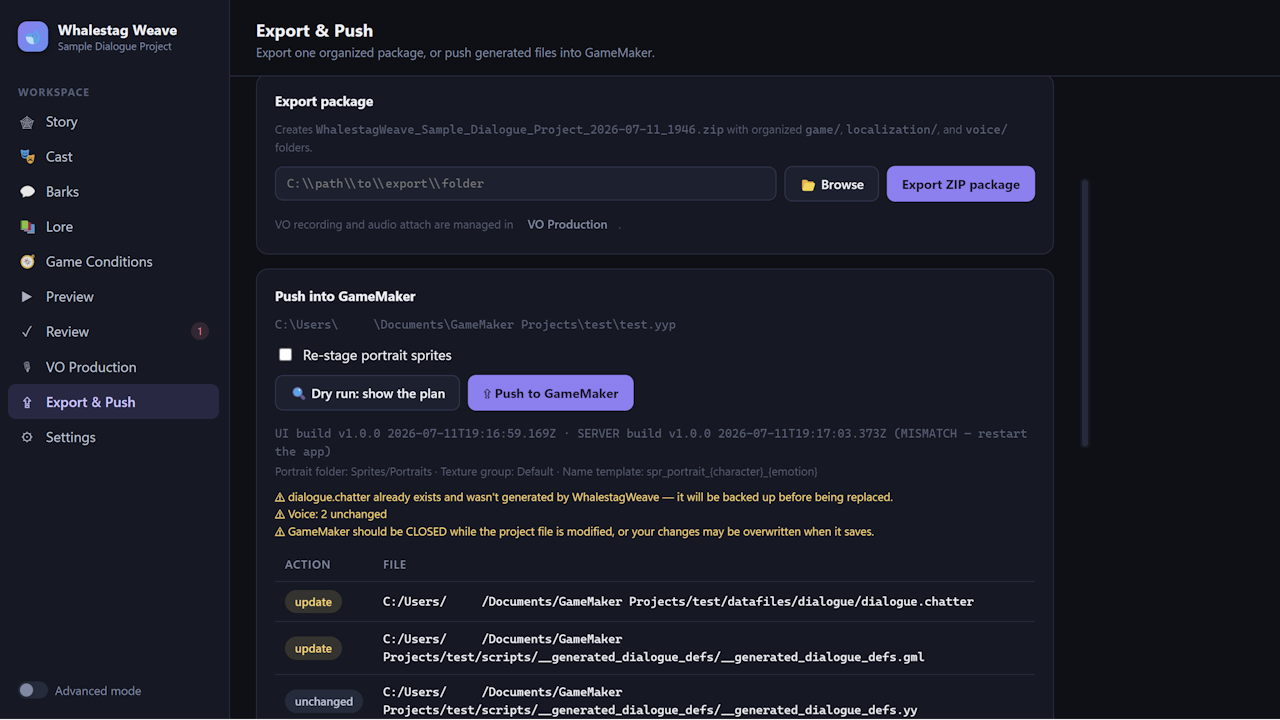
Writers work in plain language on a canvas: scenes, nodes, lines, choices, and character portraits. Whalestag Weave then turns it all into game-ready files: ChatterScript dialogue, Scribble effect tags, generated GML definitions, and localization-ready line IDs. And one click pushes everything! The dialogue, definitions, portraits, even your audio files, into your .yyp, with a dry-run plan, timestamped backups, and restore-on-failure.
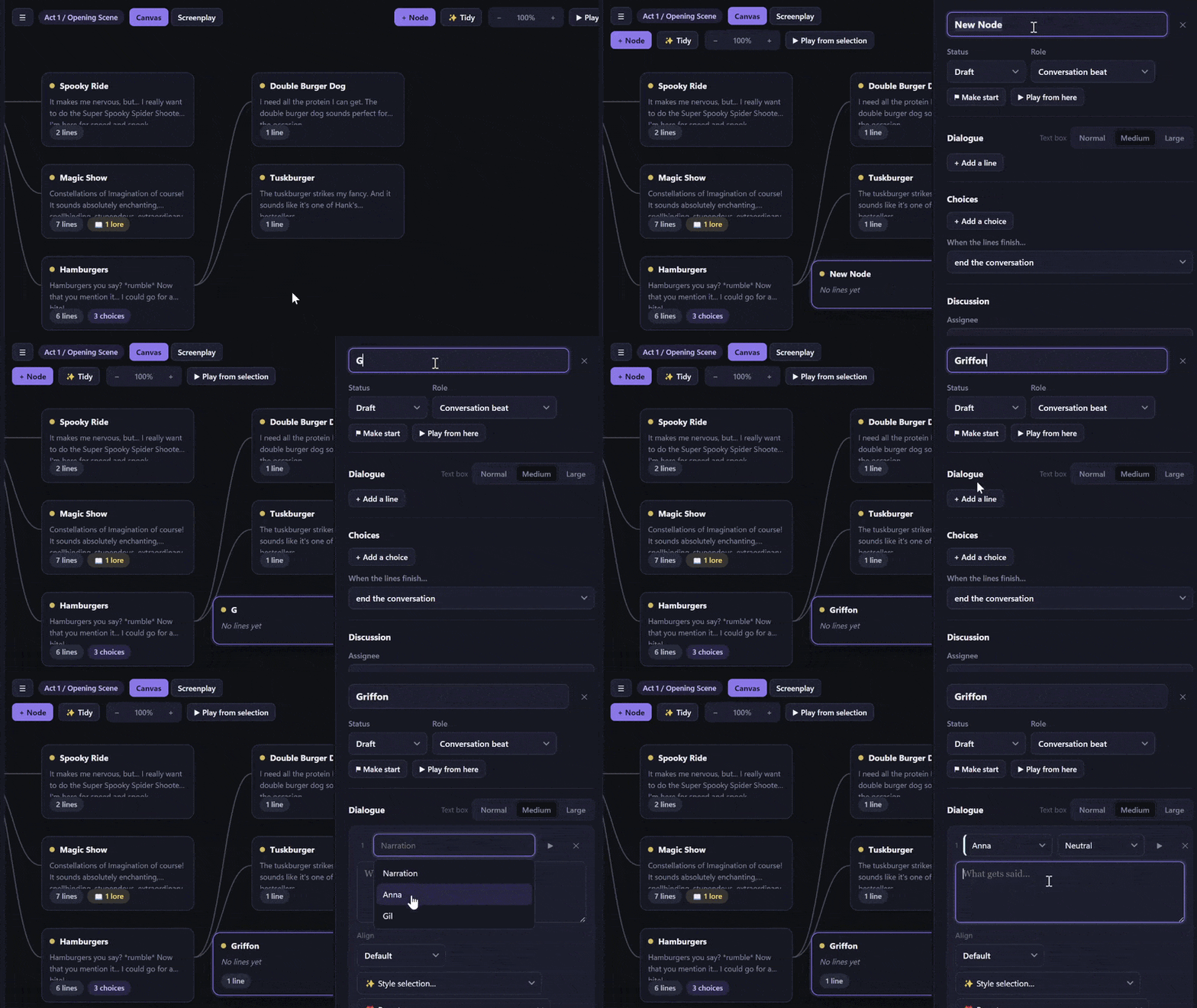
Save time and hassle. In a traditional pipeline, dialogue is often written outside of the game file and then manually, painstakingly copied in to the project. Effect tags are typed by hand, speaker metadata and enum numbers are looked up in a GML file someone has to keep in sync, a declare must be made for every variable, and "testing a branch" means booting the game and playing your way to it to test it out and hope it works. Whalestag Weave simplifies all of this: the tags are chips, the enums and registries generate themselves, conditions are dropdowns backed by permanent IDs, and testing a branch is a button that never leaves the editor. The programmer work shrinks to a one-time boot script; after that, writers ship dialogue straight into the game without the need to correspond with the programmer.
In your own project, you can expect to have a fully styled, conditional, voice-blipped conversation that would have taken days (...or weeks) of writer-programmer ping-pong become mere minutes of writer time.

- Node canvas with scenes, nested folders, project-wide search, and a command palette (Ctrl+K).
- Screenplay view: read any scene like a film script and edit it in place.
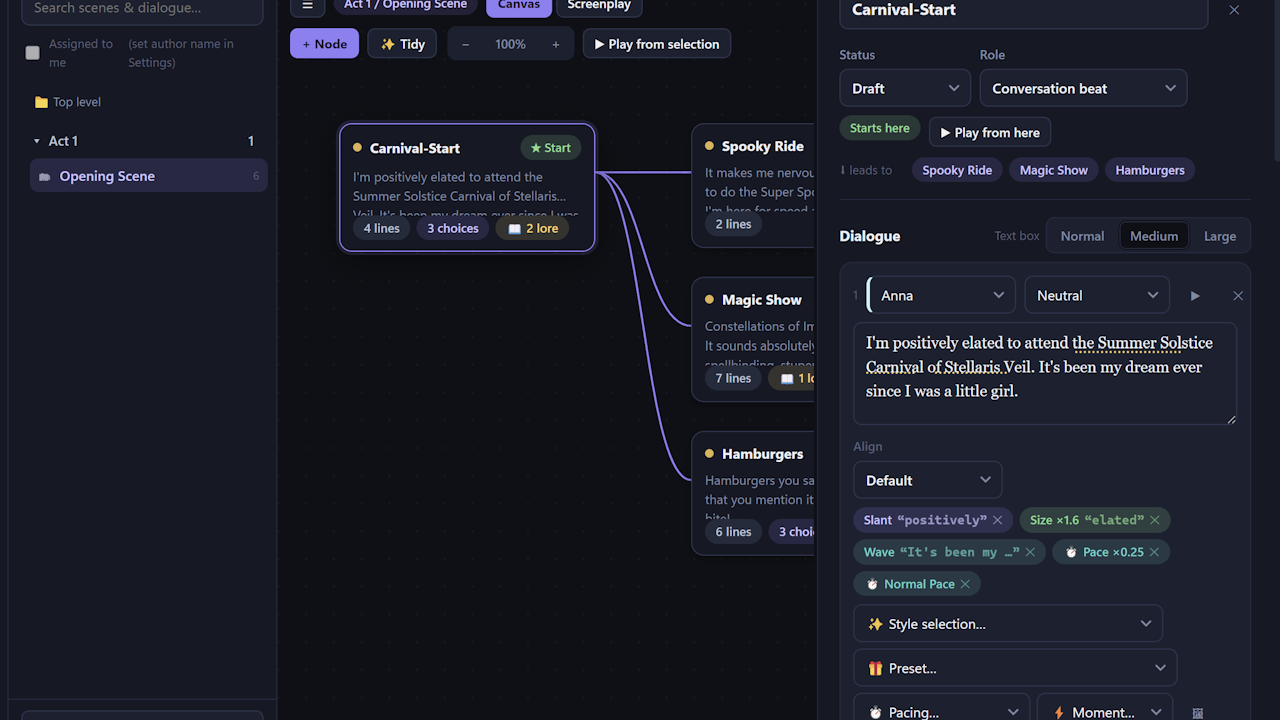
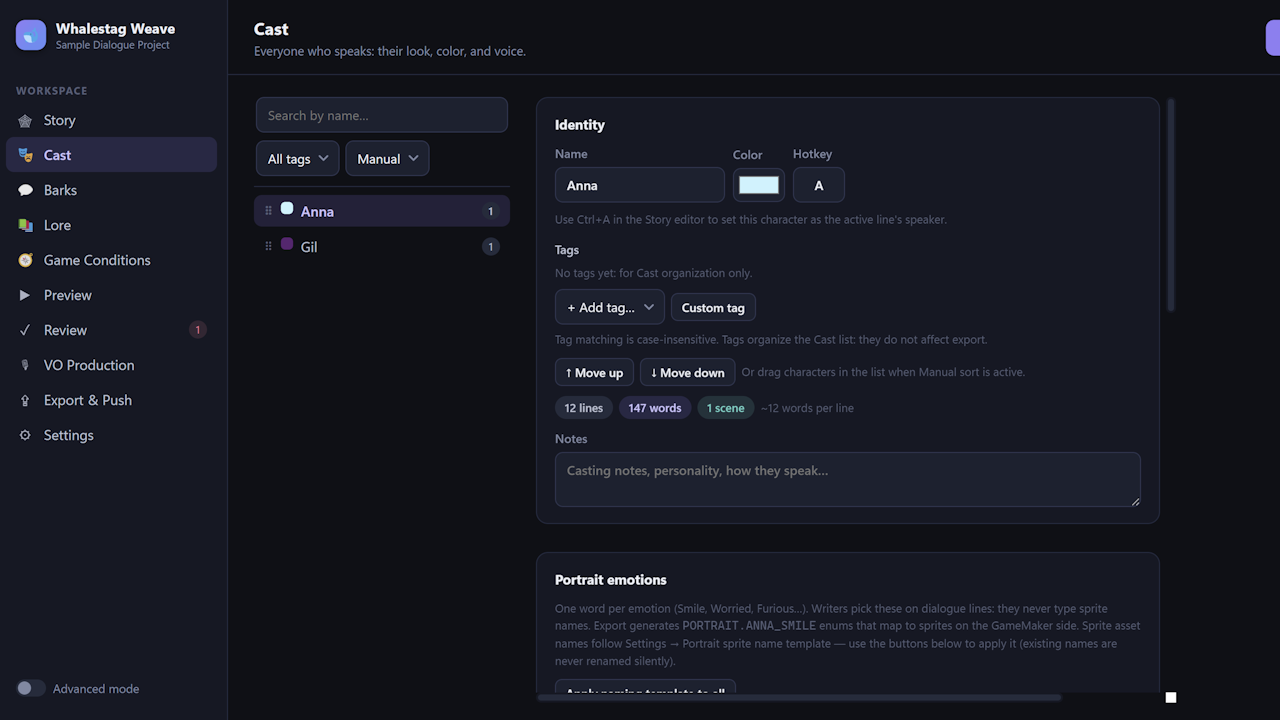
- Speaker + emotion dropdowns wired to your cast's portraits, with per-character hotkeys for fast switching.
- Cast tab built for big projects: tags, drag-and-drop ordering, sorting and filtering
- Dialogue choices with memory: keep offering, remove, or grey out, for this conversation or forever.
- Conditions and consequences that read as sentences. No syntax for your writers to memorize!

- Select words, click an effect: color, wave, shake, rainbow, pacing beats, pauses, speed changes.
- Inline icons, page breaks, and mid-line game "moments" (screen shakes, sound cues) as chips, not markup.
- Per-character voices: typing blips, pitch range, punctuation beats — heard live as you write.
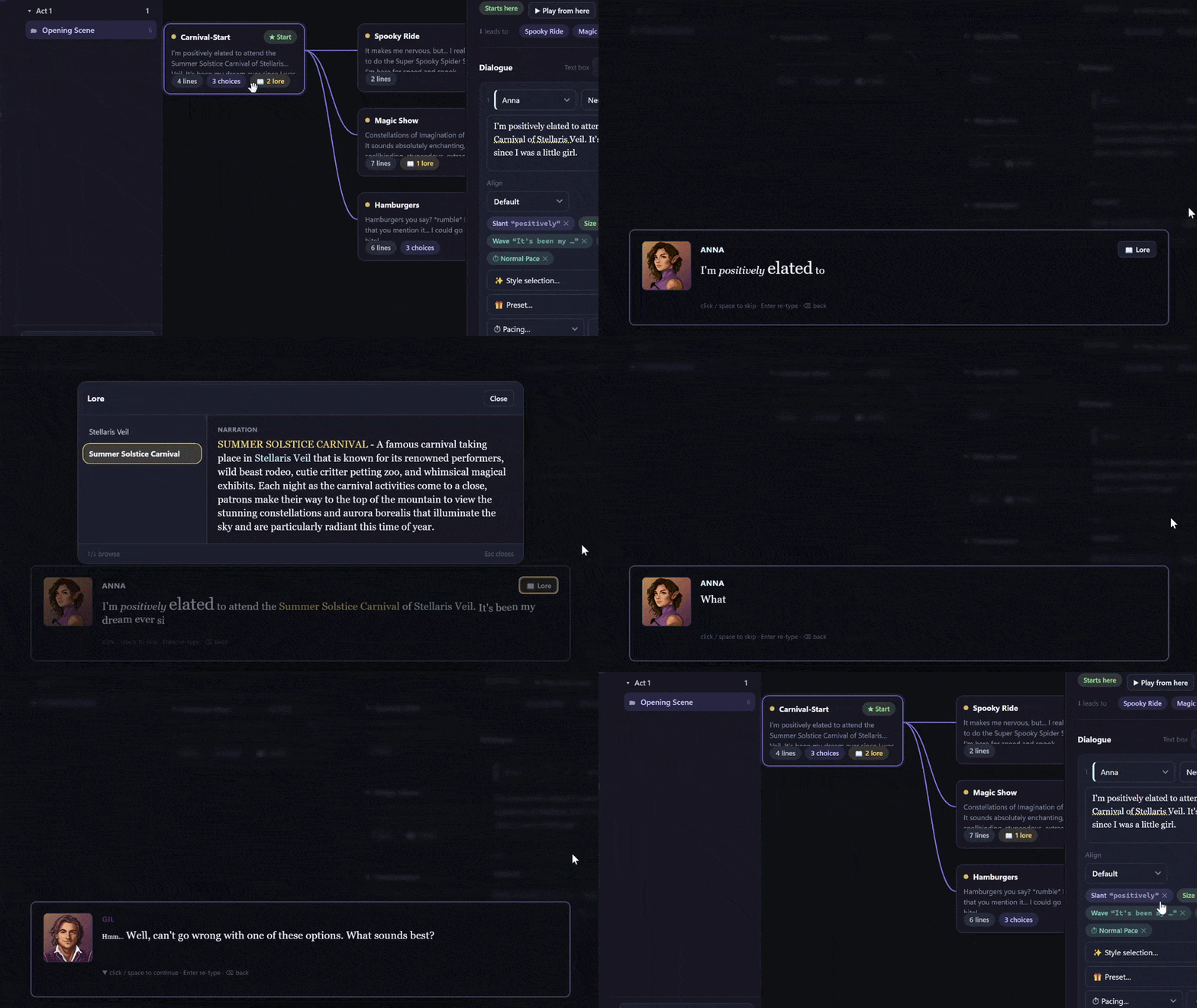

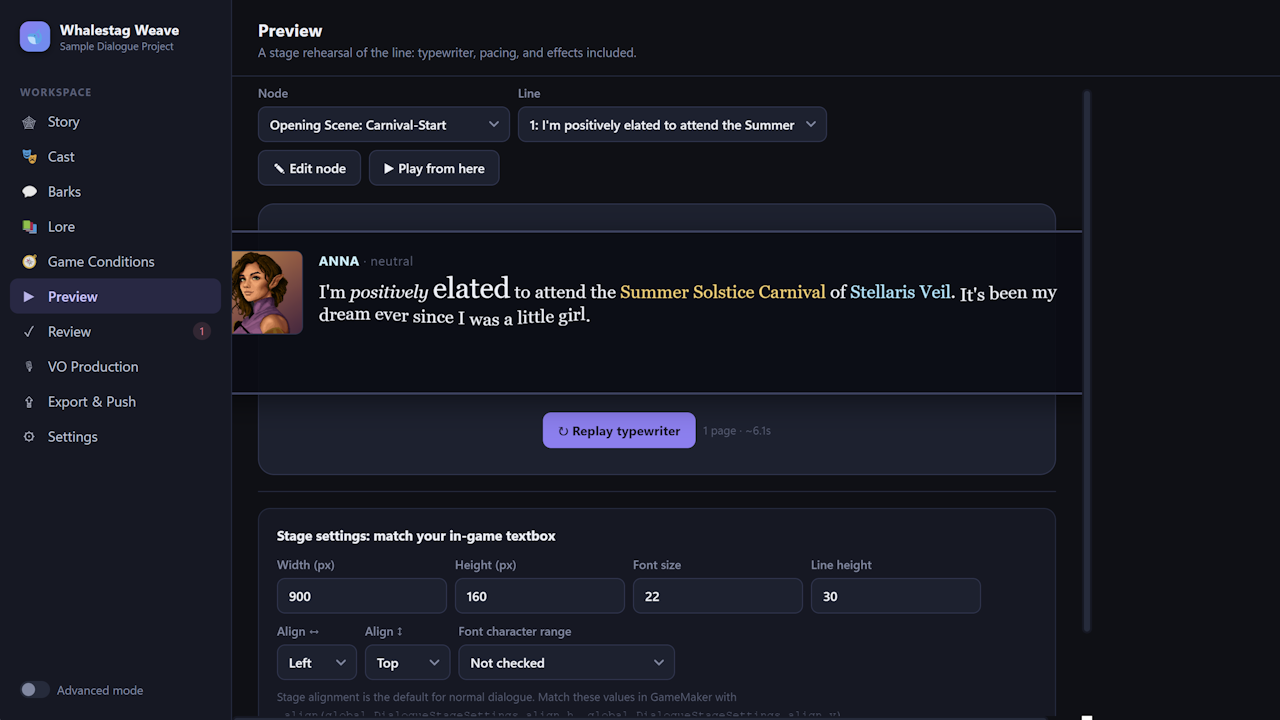
- Preview any line with the real typewriter, effects, and portrait, measured against your actual in-game textbox.
- Play a whole conversation like a player, then open the Game State panel: flip a quest, grant an item, raise a stat, and watch choices appear, grey out, or vanish live. Writer view tells you why ("Requires: Honor at least 10"); Player view shows exactly what ships.
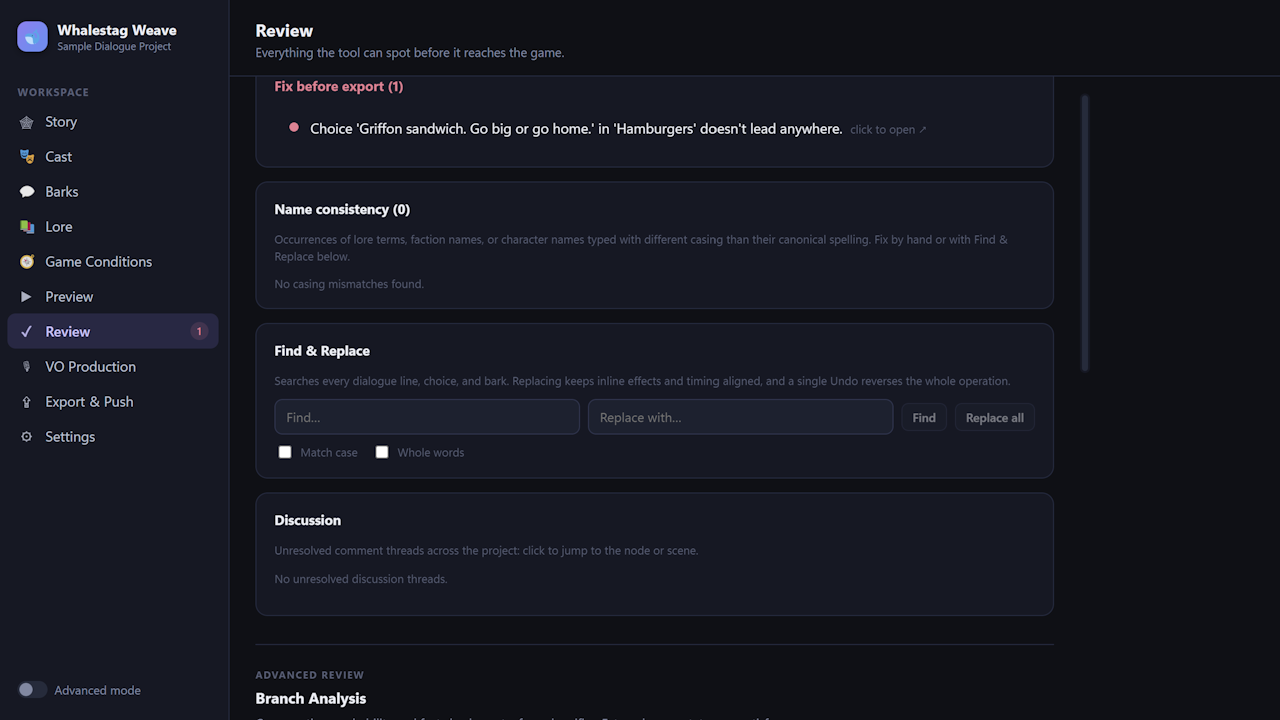
- "Review" catches broken links, unreachable branches, missing portraits, casing slips, and lines that overflow your textbox. Every issue is clickable, jumping straight to the problem.

- A lore codex: define a term once, style it once, and it's highlighted every time any character speaks it, with tappable in-game popup entries, no per-line busywork.
- Barks: weighted, condition-aware one-liner pools for ambient chatter and callouts, with a "Roll 20" button to test how it feels before sending it to your game project.

- Recording scripts and actor packets generated per character; bulk-attach the returned takes by filename.
- Sync markers make the text reveal track the recorded audio in-game.
- Voice lines and typing blips ship with the push: attach audio in the editor, hear it in your game.

- Exports ChatterScript (Chatterbox 4) + generated GML: enums, game-state defs, cast registry, voices, lore index, bark registry, portraits.
- Push straight into your GameMaker project! Dry-run first, backups always, unchanged files skipped, failed pushes restore themselves.
- Stable line IDs on every line: localization-ready from day one; permanent enum IDs keep old save files valid no matter how much you rename and reorganize.
- Projects are plain .weave.json files that live happily in Git — with comment threads, scene assignments, and a compare view that describes changes in plain language ("condition on 'Offer the rope' changed from Honor ≥ 10 to ≥ 12"). Gist sync built in for quick sharing.
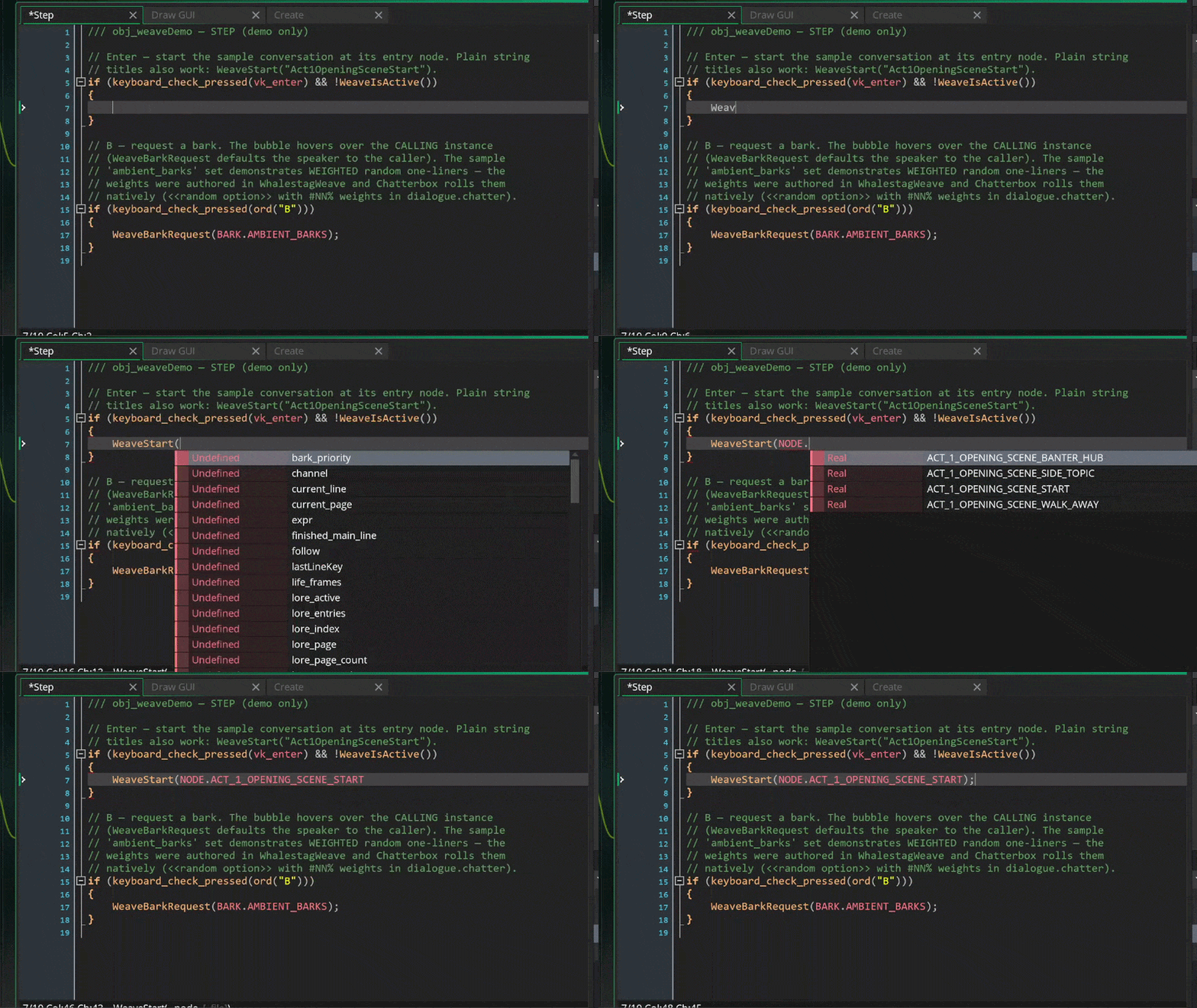
- Initiate the dialogue sequence with WeaveStart(NODE.[your node name here]). Easy as that!
Built on the tools you already trust. Whalestag Weave is built around the excellent open-source Chatterbox and Scribble libraries by JujuAdams. If you use GameMaker dialogue today, you likely already run them. Whalestag Weave introduces the writer-friendly front end. Support JujuAdams and check out his work here.
Made by Whalestag. We're a five-person studio building a pixel-art, turn-based RPG, and we built Whalestag Weave because our own writers needed it. It ships every line of dialogue in our games: the conversations, the lore popups, the ambient barks, the audio blips, and the portraits all flow through the same push button you're buying.
JOIN OUR DISCORD SERVER! Give feedback, ask questions, and get updates about our projects before anyone else.
Notes for v1: Whalestag Weave is GameMaker-only, by design: it goes deep on one engine rather than shallow on five. Cloud co-editing isn't built (comment threads, Git-friendly files, and Gist sync work well for small teams).
Purchase
In order to download this tool you must purchase it at or above the minimum price of $23.99 USD. You will get access to the following files:
Leave a comment
Log in with itch.io to leave a comment.